Uptime is a measure of the time a computer system has been "up" and running.
The system uptime is very important for system administrators. Many times normal users like to keep the track of their PC.
Here I am showing 5 ways (Some Commands and Some Very Small and Free Utilities) to know How long has Your System been Running without Reboot.
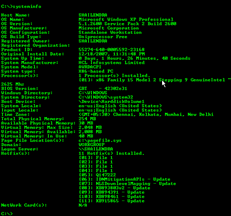
The systeminfo command tells us all about a computer system. Here you can get the system uptime as well as the original date and time of the OS installation. This command works on Windows XP Pro. Not tested in XP Home (Some users said it wont work in XP Home).
- Click on Start > Run
- Type CMD (Will open Command Terminal)
- Type systeminfo
- Find system uptime there, you will also get install date and time above the uptime

In the above screenshot, you can see the format of the system uptime is Days, Hours, Minutes, Seconds.
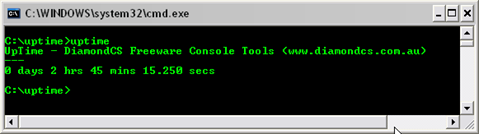
DC uptime is a simple and very small utility command line tool designed to view how long your computer has been running, accurate to the second.
This tool support almost all Windows OS.
Download Here
Easy HR Computer Uptime is a simple tool designed to show you the computer name, and how long your computer has been running (uptime) since it was last rebooted. Easy HR Computer Uptime also tells you the current user name and the current running Operating System.
This tool supports Windows 98, Me, XP
Download Here

This is a small GUI tool which shows the System Uptime, the System Startup Date and Time. This tool has another feature that you can schedule any task like Shutdown, Logoff, Restart, Hibernate, Alert or any specific task you want to execute based on the System Uptime.
This tool supports Windows 2000, Server 2003, XP, Vista
Download Here
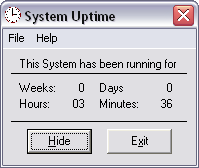
This small GUI utility will display your current System Uptime in Weeks, Days, Hours and Minutes. There is no install/uninstall. Download XP_SystemUptime.zip and extract the EXE file to your hard drive. Create a shortcut to XP_SystemUptime.exe in your Startup folder, or anywhere you desire. To remove System Uptime, simply delete the EXE file and any shortcut you create. This application is freeware.
Windows XP (may run on Windows 2000). Requires VB6 Runtime Library (installed on XP by default).
Download Here
If you know more utilities for System Uptime please let us know. You can send it through comments.